How Tvora works
From a brand-new account to your first shipped order — the whole journey in six steps, shown in the actual product.
Create your free workspace
No credit card, no sales call. The moment you sign up, your workspace is ready with four teams — Support, Accounts, Fulfillment, Warehouse — and a starter pipeline you can reshape any way you like.
- check_circleFree to start — every feature included
- check_circleTeams & starter workflow pre-created
- check_circleWorks with or without a Shopify store
Design your pipeline, stage by stage
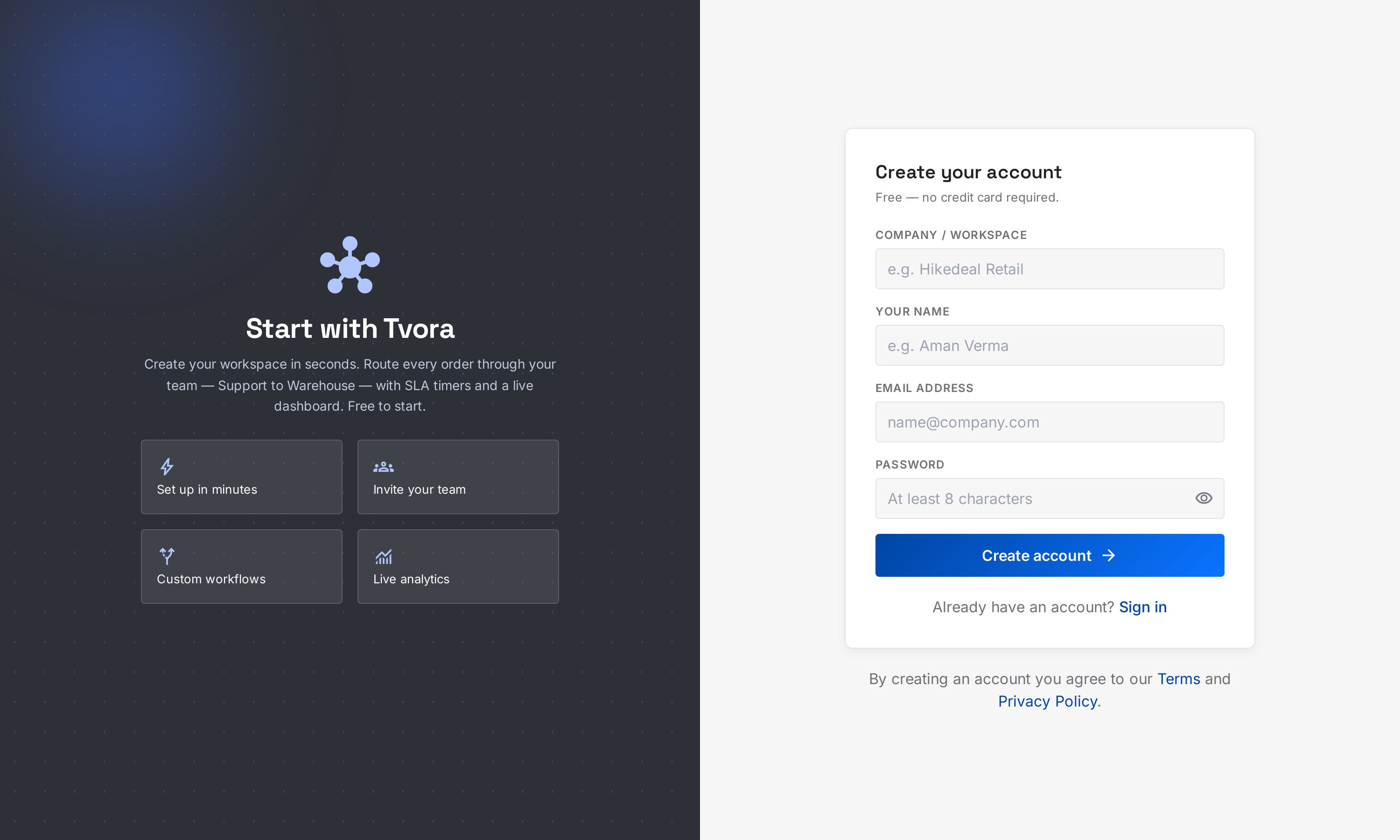
Open the Workflow Builder and lay out how an order should travel. Each stage is owned by a team and carries its own SLA budget. Routing rules branch the flow by payment method — bank deposits stop at Payment Verification, COD and prepaid jump straight to Fulfillment.
- check_circlePer-stage owning team & SLA threshold (minutes)
- check_circleRouting rules: IF payment is X → go to stage Y
- check_circleWorkload distribution: auto-balance, custom order, or manual
Invite your team, set their roles
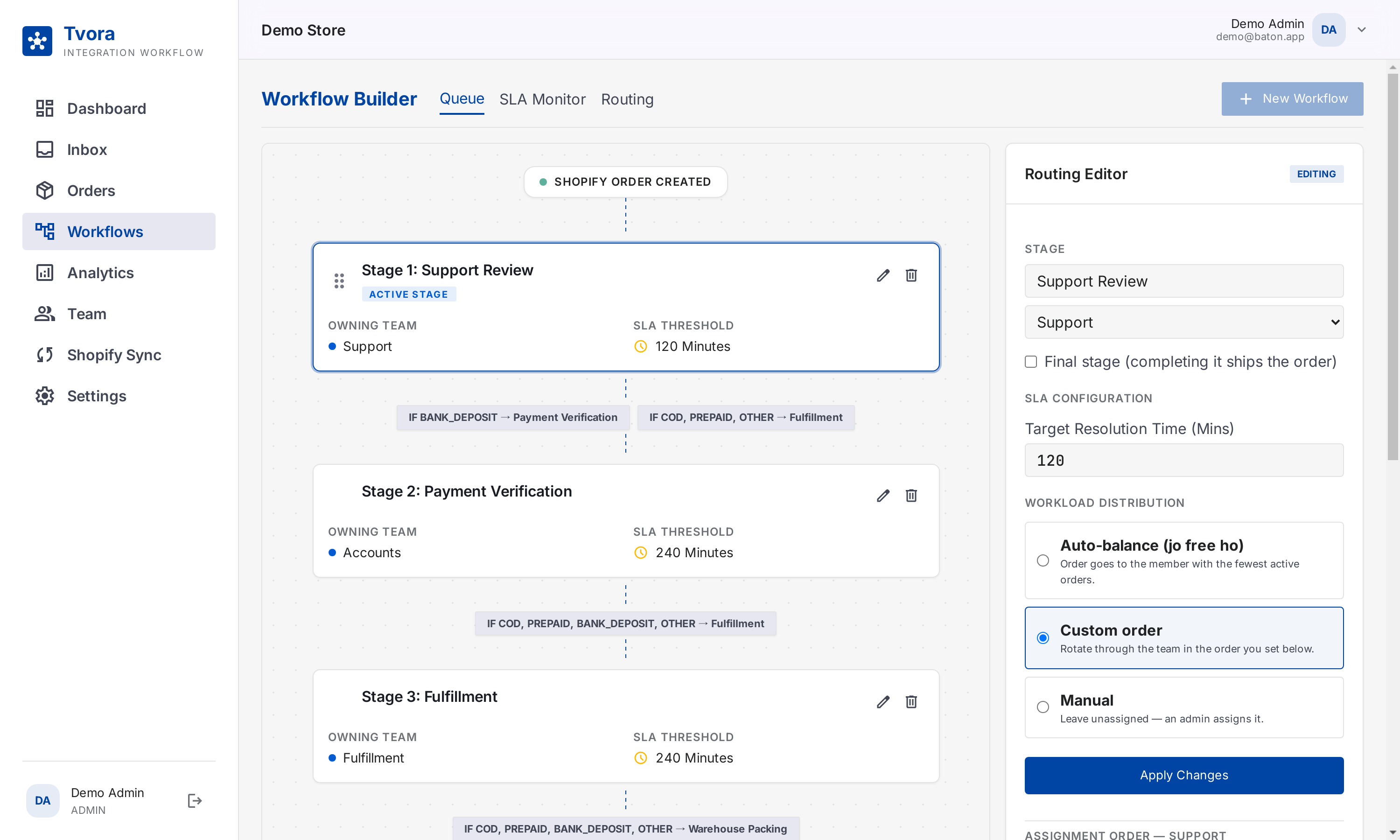
Send email invites with a role — Owner, Admin or Member — and drop each person into the teams they work in. Members only see and act on the orders assigned to them; Admins manage the pipeline.
- check_circleEmail invite with join link (72h validity)
- check_circleRoles: Owner / Admin / Member
- check_circleA member can belong to several teams
Connect Shopify — or add orders by hand
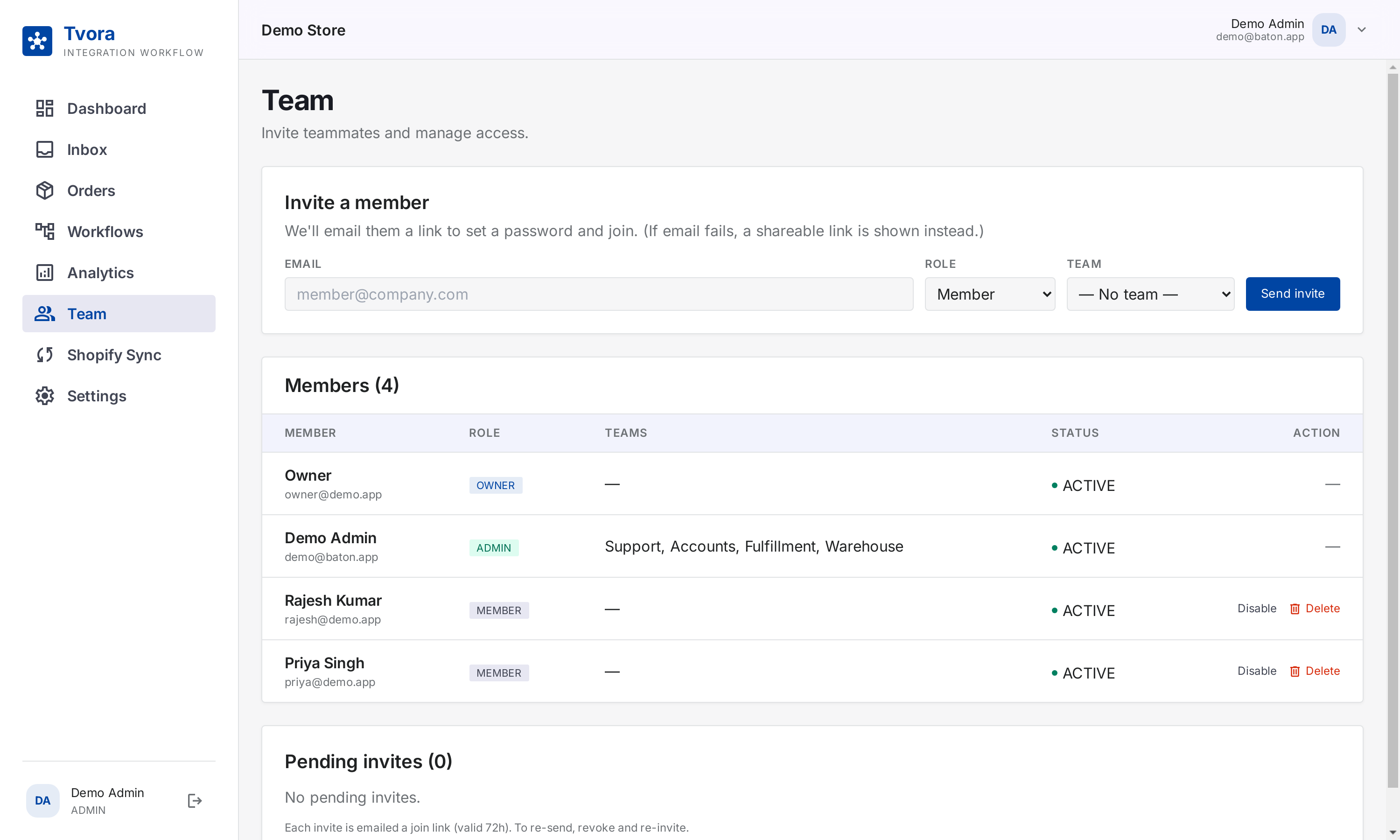
One OAuth connect and webhooks stream every new Shopify order into your pipeline in real time, with a polling fallback so nothing is missed. Payment-method mapping classifies each order (COD, Prepaid, Bank Deposit) so routing rules fire correctly. No Shopify? Create orders manually.
- check_circleReal-time webhook sync + retry & polling fallback
- check_circleGateway/tag keywords → payment type mapping
- check_circleManual orders for any other channel
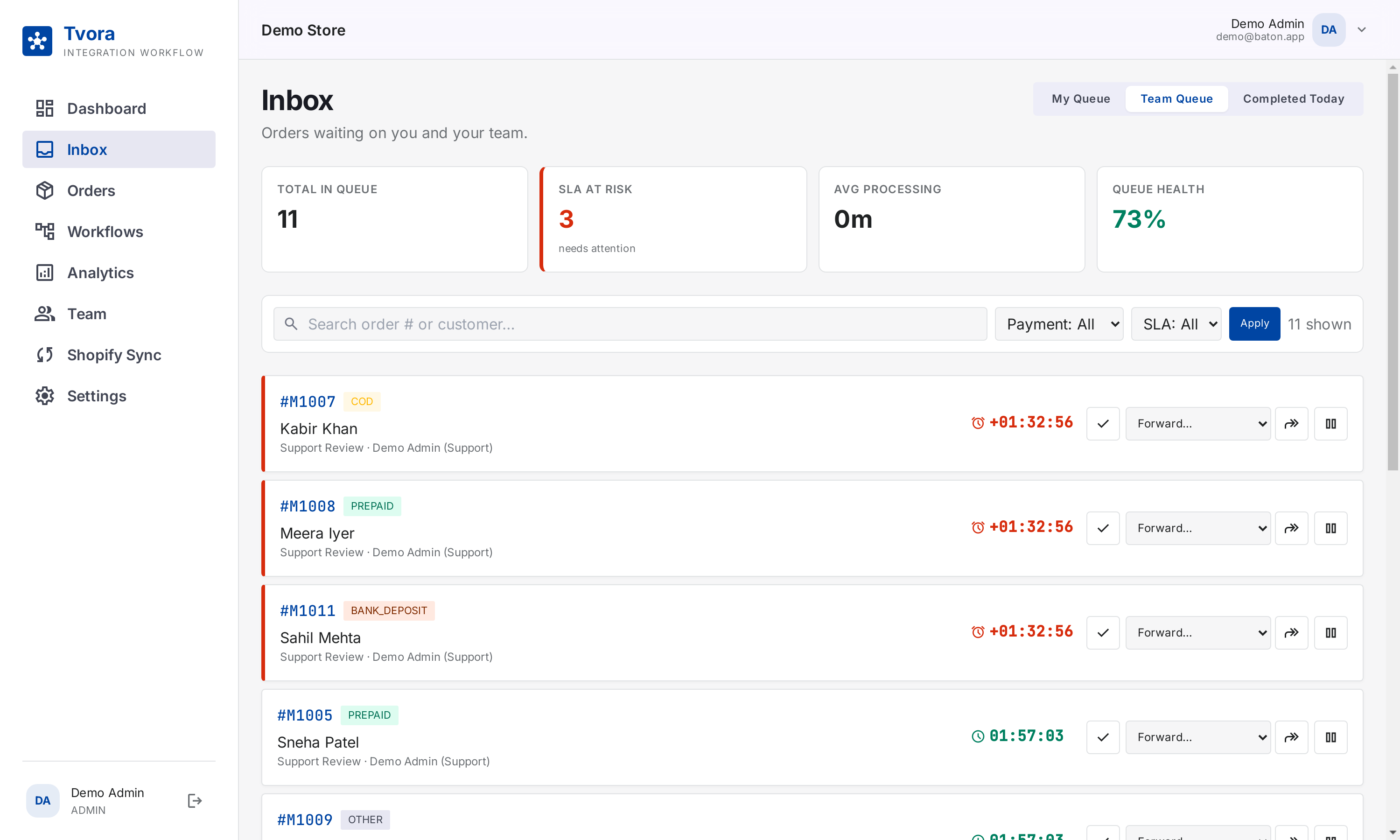
Work your queue from the Inbox
Every teammate opens the Inbox and sees exactly what's theirs: My Queue, the Team Queue, and what was completed today. A live SLA countdown sits on every order — breaches turn red and float to the top. Done, Forward or Hold, in one click.
- check_circleMy Queue vs Team Queue vs Completed
- check_circleLive SLA countdown on every card
- check_circleQueue health & SLA-at-risk counters up top
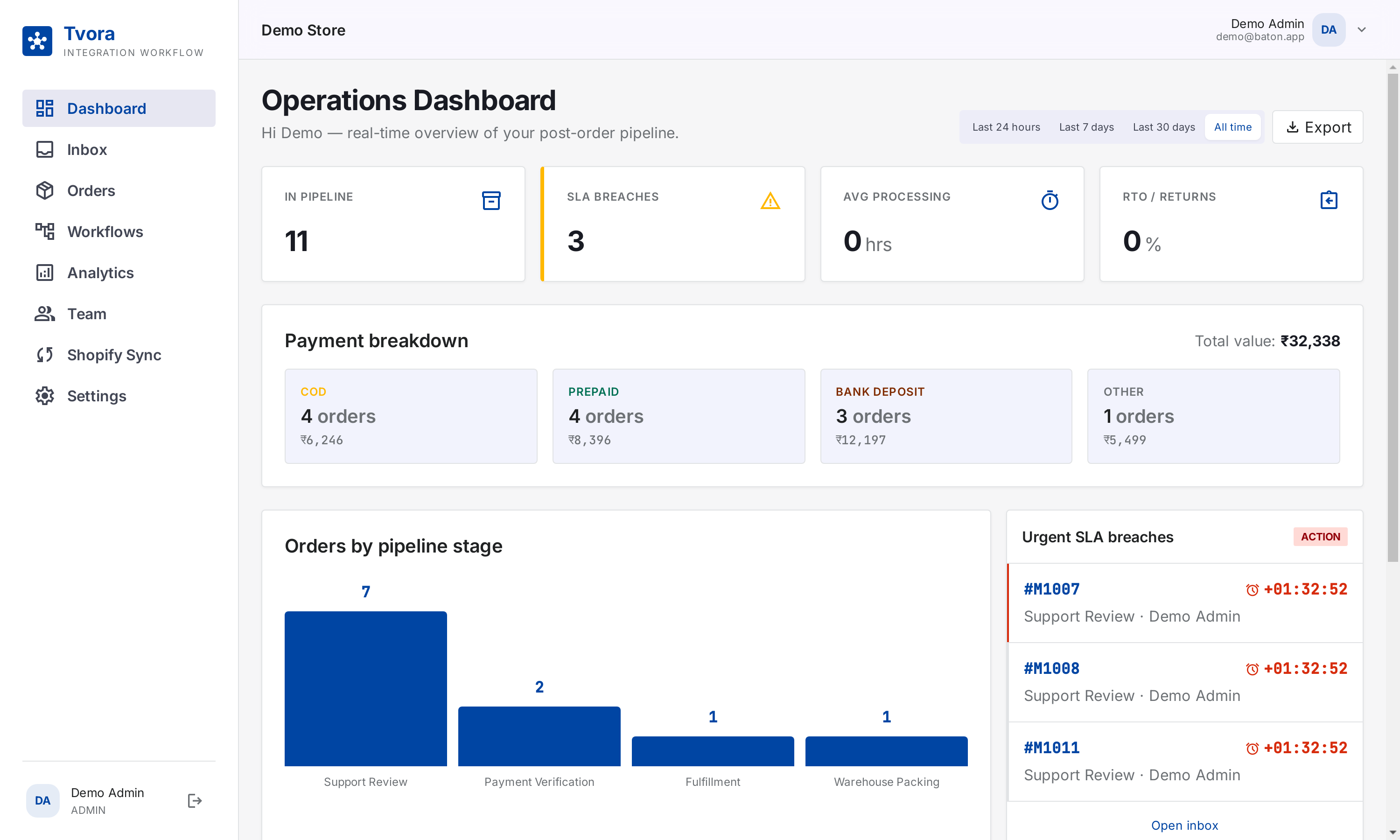
Watch it all on the live dashboard
The Operations Dashboard shows your whole post-order pipeline at a glance — orders in pipeline, SLA breaches, payment breakdown with values, orders per stage, and the urgent list that needs action right now.
- check_circleKPIs: in pipeline, breaches, processing time, RTO
- check_circlePayment breakdown: COD / Prepaid / Bank / Other
- check_circleUrgent SLA breaches with one click into the inbox
And underneath it all
Every order is accounted for
Open any order for its full story, and Analytics for the big picture.
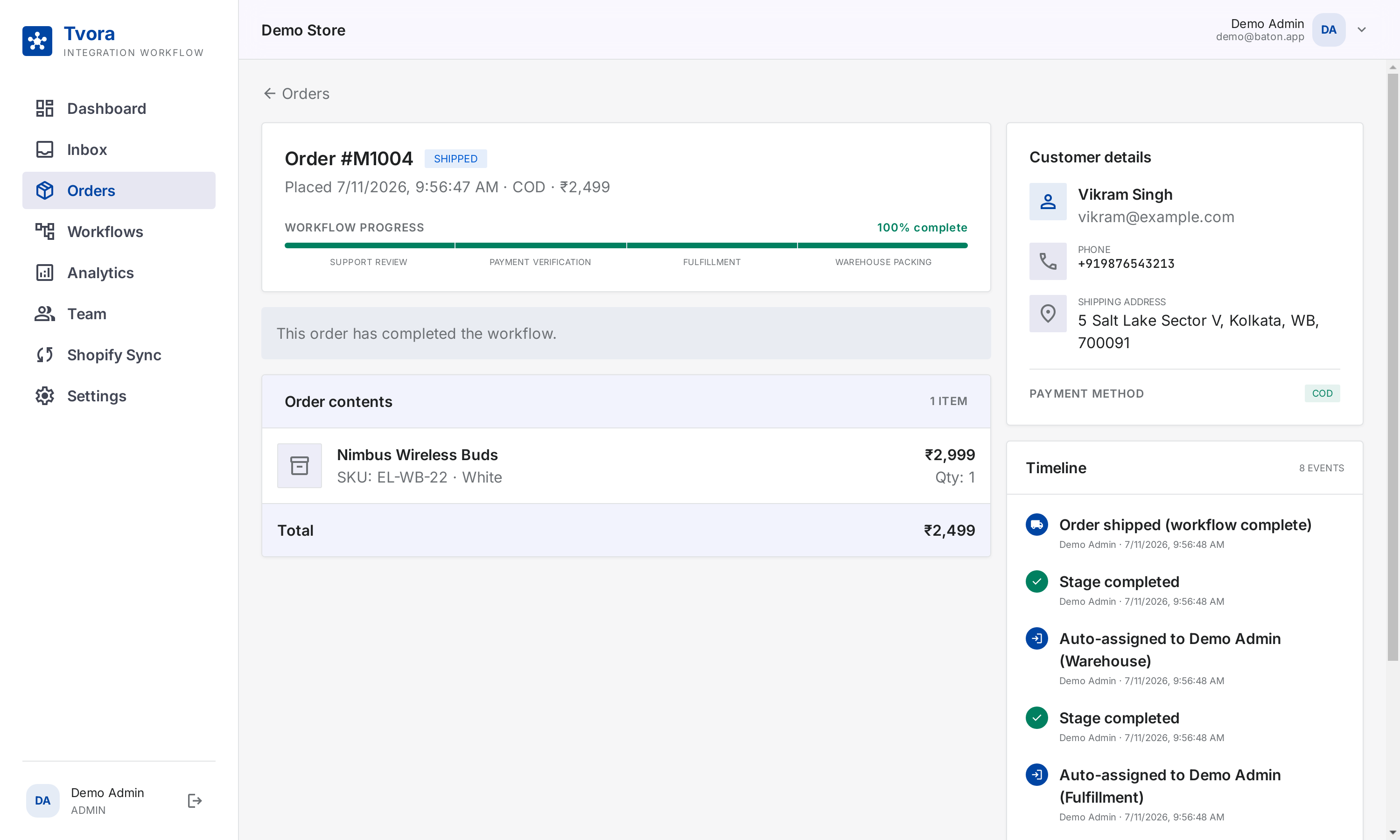
A full audit trail per order
Workflow progress, contents, customer details and a timeline of every hand-off — who did what, when.
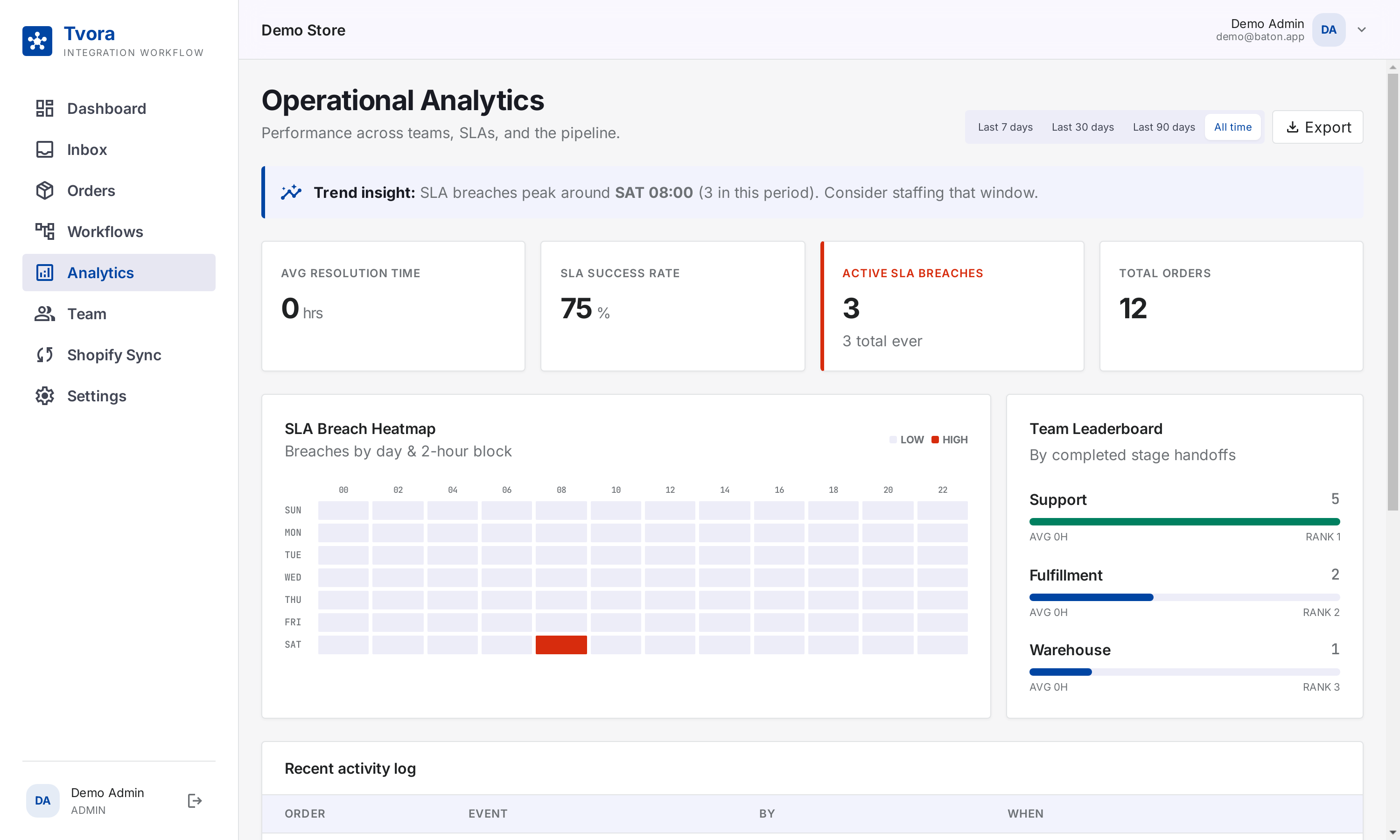
Analytics that point at the fix
SLA success rate, a breach heatmap by day & hour, team leaderboard and trend insights — export any of it to CSV.
Now run it with your own orders
Everything you just saw is free — no card, no limits. Set up takes minutes.